![Group (1).png]](https://help.murf.ai/hs-fs/hubfs/Group%20(1).png?height=30&name=Group%20(1).png)
Murf’s PowerPoint plugin lets you instantly create voiceover narrations for your presentations. You can generate narration directly from your presenter notes or paste in a custom script to create speech on the go, saving you significant production time. If you prefer, you can always fine-tune and edit your voiceover in more detail in Murf Studio later.
You can create your first Murf‑narrated PowerPoint presentation in just 5 simple steps:
-
Install and log in to the Murf PowerPoint plugin.
-
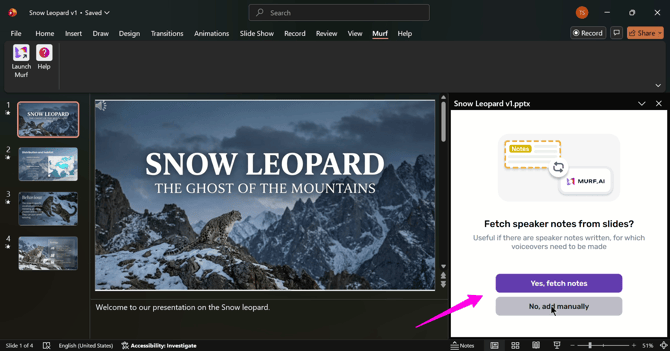
Select your speaker notes to generate the voiceover, or add your narration script manually.
- Generate and preview the narration speech.
- Add the narration to the slide.
- If you're happy with the voice and delivery, create and add narrations to all the slides in one go.
Here's a complete interactive tutorial on creating your first Murf-Narrated PowerPoint presentation.